

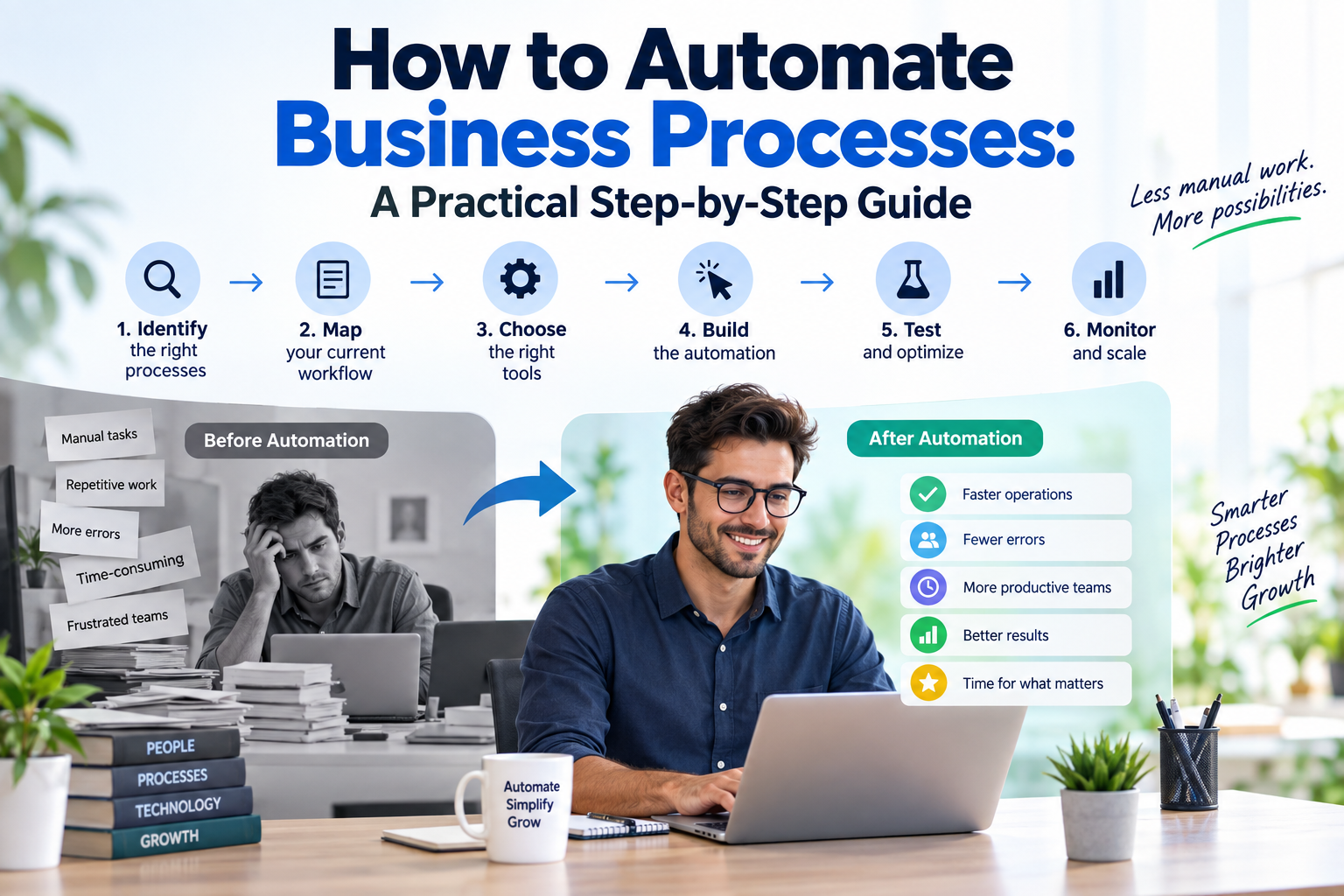
How to Automate Business Processes: Step-by-Step Guide
What Is Business Process Automation?
Business process automation means using software, integrations, rules, and artificial intelligence to execute repeatable business workflows with less manual intervention.
For example: Customer Form → CRM → Lead Classification → Sales Notification → Follow-Up → Task Assignment
Without automation, employees perform many of these steps manually. With automation, connected systems can coordinate the workflow automatically.
For a broader overview, see our Business Process Automation Complete Guide .
Which Business Processes Should You Automate?
Before selecting an automation platform, identify processes that are repetitive, predictable, measurable, and time-consuming.
- High volume: The process happens frequently.
- Repetitive: Employees perform the same steps repeatedly.
- Rule-based: Decisions follow relatively consistent rules.
- Error-prone: Manual work frequently creates mistakes.
- Measurable: The result can be tracked before and after automation.
Good Candidates for Automation
- Lead capture and CRM updates
- Customer follow-up emails
- Appointment reminders
- Invoice processing
- Employee onboarding
- Inventory alerts
- Customer support routing
How to Automate Business Processes in 7 Steps
Use the following framework to turn repetitive manual work into a reliable automated workflow.
1. Identify a Process Worth Automating
Start by identifying where employees repeatedly spend time on manual work. Choose a process that happens frequently and has predictable steps.
2. Map the Existing Process
Document how the workflow actually operates before introducing automation. Identify the trigger, inputs, actions, decisions, approvals, exceptions, and final outcome.
3. Find the Bottlenecks
Look for manual data entry, repeated communication, spreadsheet consolidation, approval delays, and other areas where time or accuracy is being lost.
| Problem | Automation Opportunity |
|---|---|
| Manual CRM entry | CRM API integration |
| Repeated follow-up emails | Automated email workflow |
| Approval delays | Automated approval workflow |
| Spreadsheet consolidation | Database and dashboard integration |
| Repeated customer questions | AI agent development |
4. Choose the Right Automation Approach
- No-code or low-code: Useful for straightforward application workflows.
- RPA: Useful for repetitive tasks involving legacy applications.
- AI automation: Useful for emails, documents, natural language, and flexible decisions.
- Custom software: Useful for complex workflows, APIs, databases, and specialized requirements.
5. Build the Workflow
Structure the automation using a clear sequence: Trigger → Validation → Action → Exception Check → Result.
For important workflows, include human approval where judgment or authorization is required.
6. Test Before Going Live
Test both normal and failure scenarios before deploying the workflow.
- Missing information
- Invalid email addresses
- Duplicate records
- API failures
- Unexpected input
7. Monitor and Improve
Monitor execution failures, processing time, manual intervention, errors, and operating costs. Use those results to continuously improve the workflow.
Business Processes You Can Automate
Sales and Marketing
Automate lead capture, CRM updates, lead qualification, follow-up messages, meeting scheduling, and reporting.
Finance and Accounting
Automate invoice workflows, payment notifications, expense routing, and other repetitive financial processes.
Human Resources
Automate employee onboarding, document collection, interview scheduling, leave workflows, and internal notifications.
Operations and Customer Support
Automate inventory alerts, order routing, support ticket classification, customer notifications, and escalation workflows.
Business Automation vs. RPA vs. AI Automation
| Approach | Primary Focus | Example |
|---|---|---|
| Task Automation | Single repetitive task | Saving email attachments automatically |
| Workflow Automation | Connecting multiple applications | Form → CRM → Email → Notification |
| BPA | Broader business process | Customer onboarding workflow |
| RPA | Repetitive UI-based work | Working with legacy desktop applications |
| AI Automation | Unstructured information and flexible decisions | Email classification or document processing |
How AI Improves Business Automation
AI can help process emails, documents, customer messages, and other unstructured information that traditional rule-based automation may struggle to interpret.
Businesses can also integrate custom AI agents into multi-step workflows where appropriate.
Common Business Automation Mistakes
- Automating a Broken Process: Improve inefficient workflows before automating them.
- Automating Everything at Once: Start with one process and expand after measuring the results.
- Choosing Tools Too Early: Understand the workflow before selecting technology.
- Ignoring Failure Scenarios: Design error handling for missing data and failed integrations.
- Not Measuring Results: Establish a baseline before automation so improvements can be measured.
How to Measure Automation ROI
Measure automation using business outcomes rather than simply counting automated tasks.
- Time Saved: Compare manual hours before and after automation.
- Processing Speed: Measure workflow cycle-time improvements.
- Error Reduction: Track changes in manual errors.
- Operating Cost: Compare manual and automated operating costs.
- Business Impact: Measure improvements in relevant business outcomes.
A basic labor-saving calculation is: (Manual Hours Before − Hours After) × Relevant Hourly Cost .
When Should You Use Custom Automation?
No-code and low-code tools can be effective for straightforward workflows. Custom automation becomes useful when a business requires deeper integration, specialized logic, or greater control.
- Custom API integrations
- Internal database integration
- Complex business rules
- Custom dashboards
- Role-based access control
- Specialized security requirements
- AI agent integration
The right technology depends on the complexity, security requirements, systems involved, and long-term goals of the business.
Freeliancer's Infotech can help businesses design and develop custom automation solutions, AI workflows, and integrated business software.
Frequently Asked Questions
What Is the Easiest Business Process to Automate?
Repetitive, high-volume, rule-based processes are usually a good starting point. Examples include lead notifications, CRM updates, reminders, and routine reporting.
How Do I Know if a Process Is Ready for Automation?
A process is generally a good candidate when it is repeatable, measurable, reasonably stable, and has predictable inputs and outputs.
Can Small Businesses Automate Business Processes?
Yes. Small businesses can start with individual workflows and gradually expand automation as they identify additional opportunities.
Is AI Required for Business Process Automation?
No. Many processes can be automated using rules, APIs, integrations, and workflow platforms. AI is useful when workflows involve unstructured information.
How Long Does Business Process Automation Take?
Implementation time depends on workflow complexity, integrations, business rules, security requirements, testing, and the number of systems involved.
Ready to automate your business processes?